
English source · 11 min
A connected AI-first workspace
The merchant agent now carries the current editor into a conversation, discovers installed apps by relevance and prepares bounded work that the merchant can review. App Studio, graphical editors, native operations and private previews continue to own the actual data. This guide connects the original 20 October workspace with collection/catalogue work and the 29 October native working views, pinned layouts and private catalogue intake. Current status records each deployed journey, with the latest public screenshots.
Prepare missing translations and images in the catalogue-preparation grid, check an app's connections in App Studio and try a saved private change with the customer simulator. These entry points use the same native editors, current rights and selected publication path.
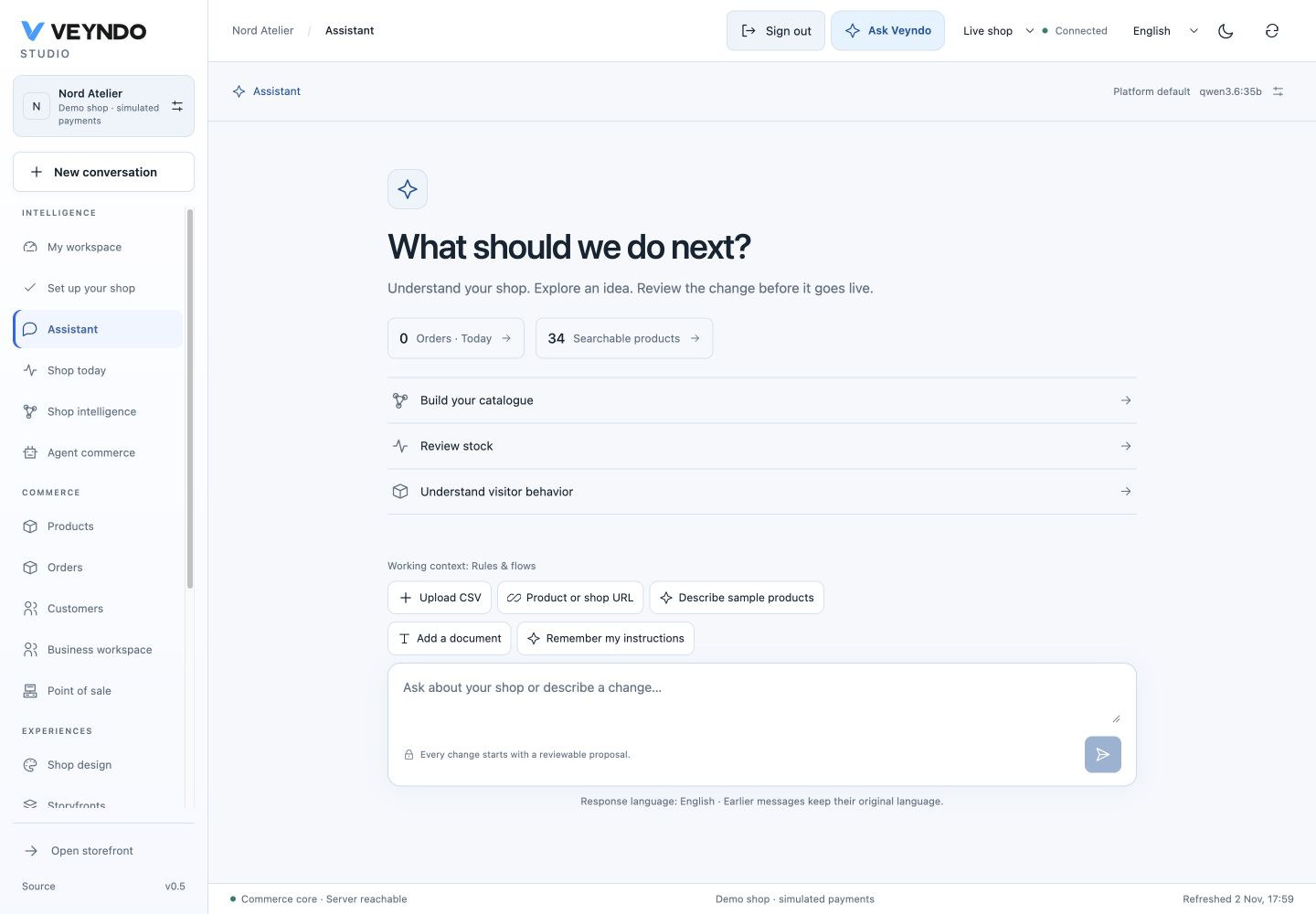
Current interface, 2 November 2026, fictional local shop. Earlier outcome-specific examples below retain their original evidence links.
A connected conversation surface
The merchant assistant keeps the welcome actions, working context, source tools and message input in one aligned column. Review stock and Understand visitor behavior start the existing bounded prompts. The full instructions remain in the agent request, while the buttons use short labels in EN/DE/FR/ES.
Attach a CSV directly, enter a product/shop URL, describe sample products, add a private document or save instructions beside the message input. These are the existing permission-aware intake operations. Preview and approval still precede catalogue changes. The duplicate CSV control has been removed.
An empty product context no longer reserves a blank sidebar. A selected product still uses the native context panel and its mobile dialog. On narrow screens the welcome and input scroll together; Ask Veyndo now opens a persistent right sidebar beside native editors, using the same composer. Existing conversations retain their scrollable message region.
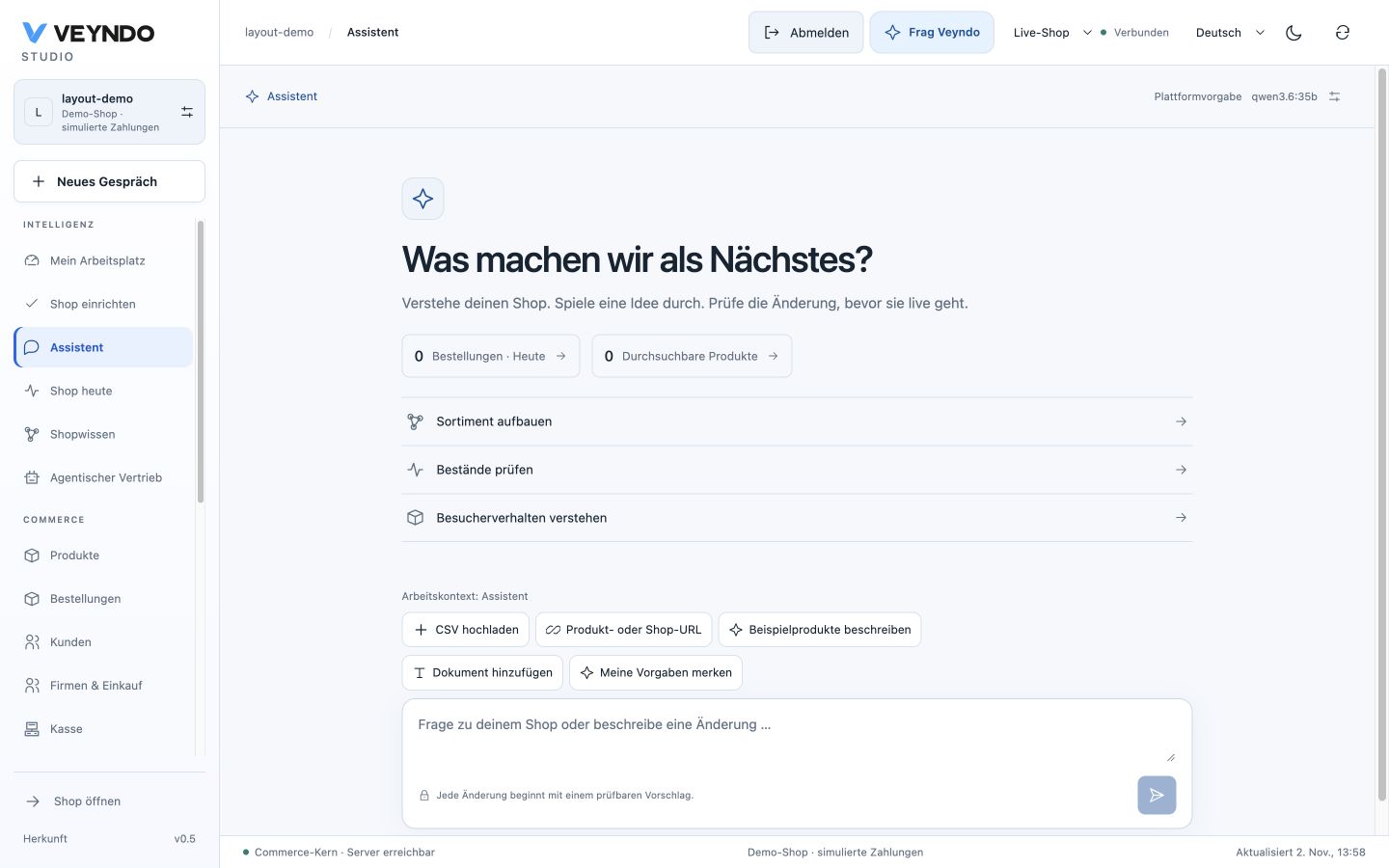
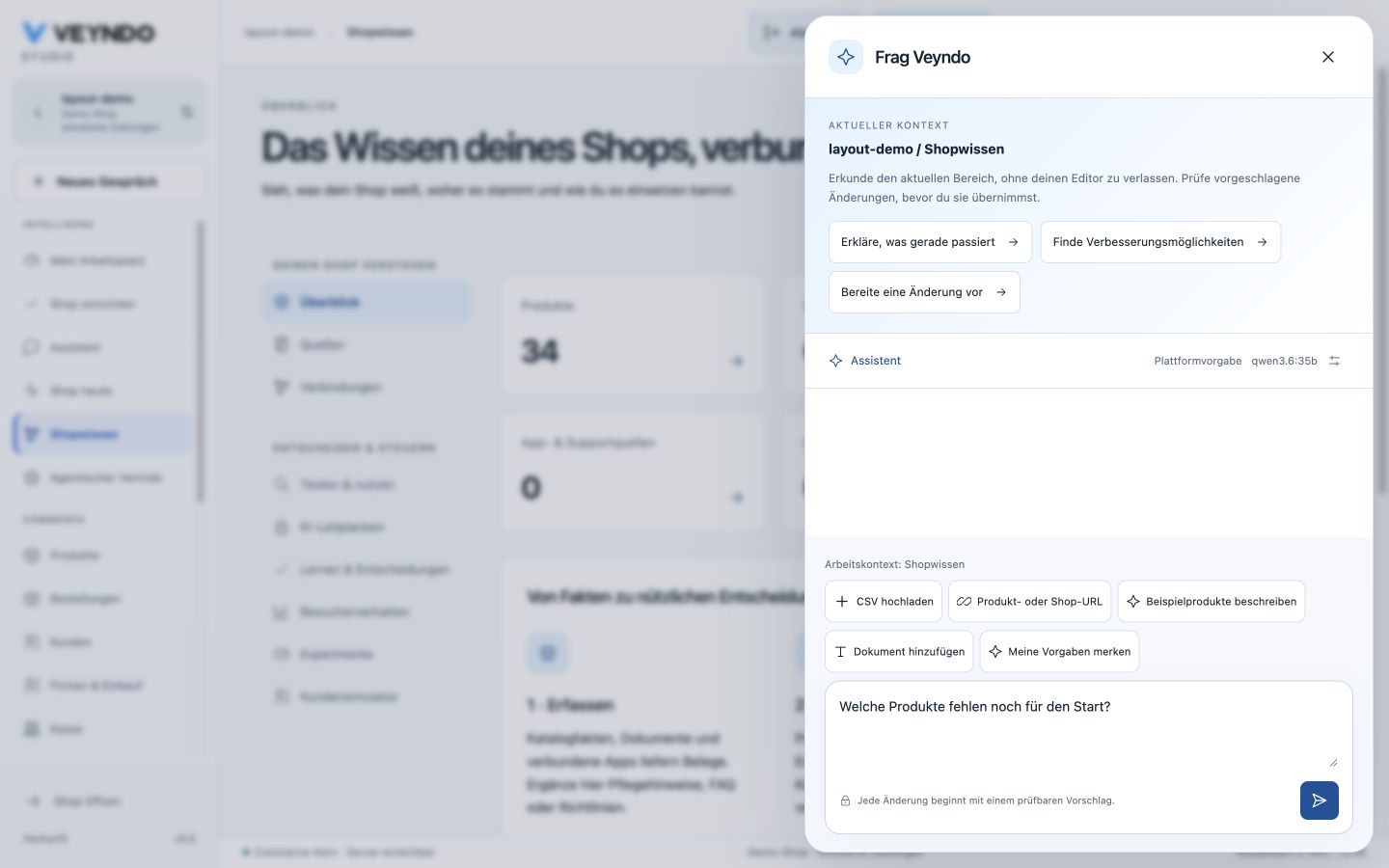
Mobile controls and message input.

Local Chrome acceptance on 2 November covers personal sign-in, the assistant, source-URL dialog, draft preservation between the assistant and Shop knowledge, keyboard focus on Send, French tablet labels and responsive sizes 1440 × 900, 1024 × 768, 390 × 844 and 844 × 390. The narrow and landscape views expose their controls without horizontal document overflow. This is UI acceptance; it does not certify a new model capability or public runtime deployment.
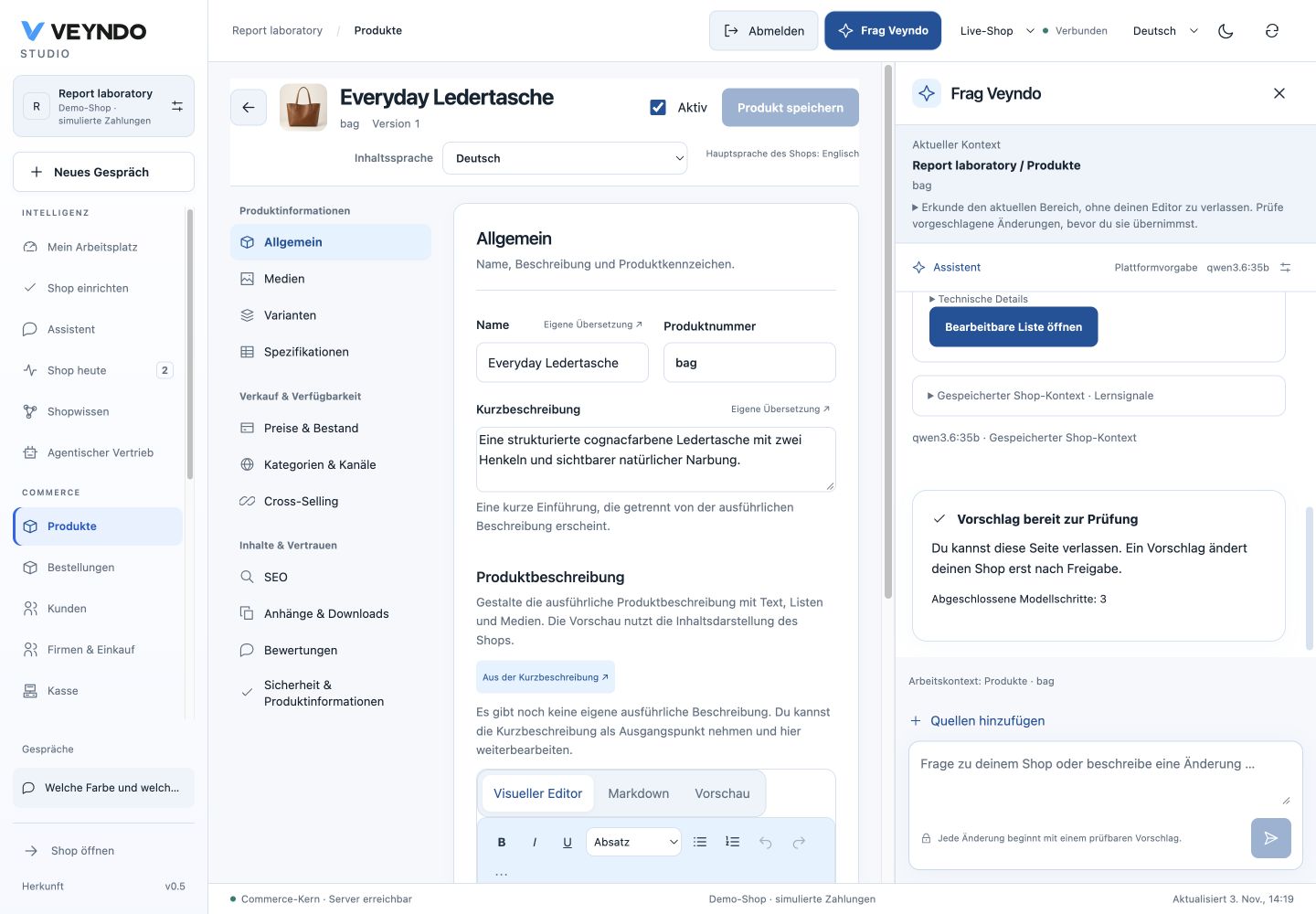
Ask Veyndo beside your work
Open Ask Veyndo in the Studio header. The right sidebar stays open while you move between products, orders, knowledge, apps and settings. New conversation, conversation history and contextual task entry points open the same sidebar. In the full Assistant view, the header focuses its existing composer so the same conversation is rendered once. Collapse the sidebar at any time; the underlying editor stays mounted with its unsaved draft. On phones the conversation uses the screen width and has a visible Close control. Escape closes the sidebar when no nested dialog is active.
The current native view, selected product/order/customer or installed app is sent with each submitted turn as bounded presentation context. Shop, environment, language, identity and current rights still come from the existing authenticated request and agent run. A context change starts no model request. Add sources reveals the shared CSV, product URL, demo catalogue and document tools.
Ask What colour and price does this product have? The agent reads the stored product through native tools. Ask Show me a product list with details to prepare a working view. It can also offer Open Products, Open Settings or another registered view. Opening requires a click. The server validates current domain and PII rights and checks entity references in the owning shop; the client checks the current visible rights again. Arbitrary URLs, scripts and foreign references are rejected. A working view combined with product/order/customer navigation must target the same native entity. Its actual entity is shown before opening; an inconsistent saved proposal asks for a new view instead of opening the wrong list. Navigating to another native route follows its normal editor lifecycle; collapsing the sidebar itself does not navigate or save.
OpenUI 1.0.1 is now integrated with fixed native Directory and Intake bindings.
The model chooses records, details and product-only intake through the
existing planning schema. Search, filters, details, source review and writes stay
in their existing native owners. The renderer receives no model-supplied rows,
permissions, arbitrary component names, HTML or SQL. Existing approval, revisions,
private drafts and selected publication apply to all resulting changes.
The public product walkthrough confirms a real model answer, a filtered native product grid, the genuine embedded product editor and exact-product navigation while the conversation stays open. Screenshots and the observed acceptance.
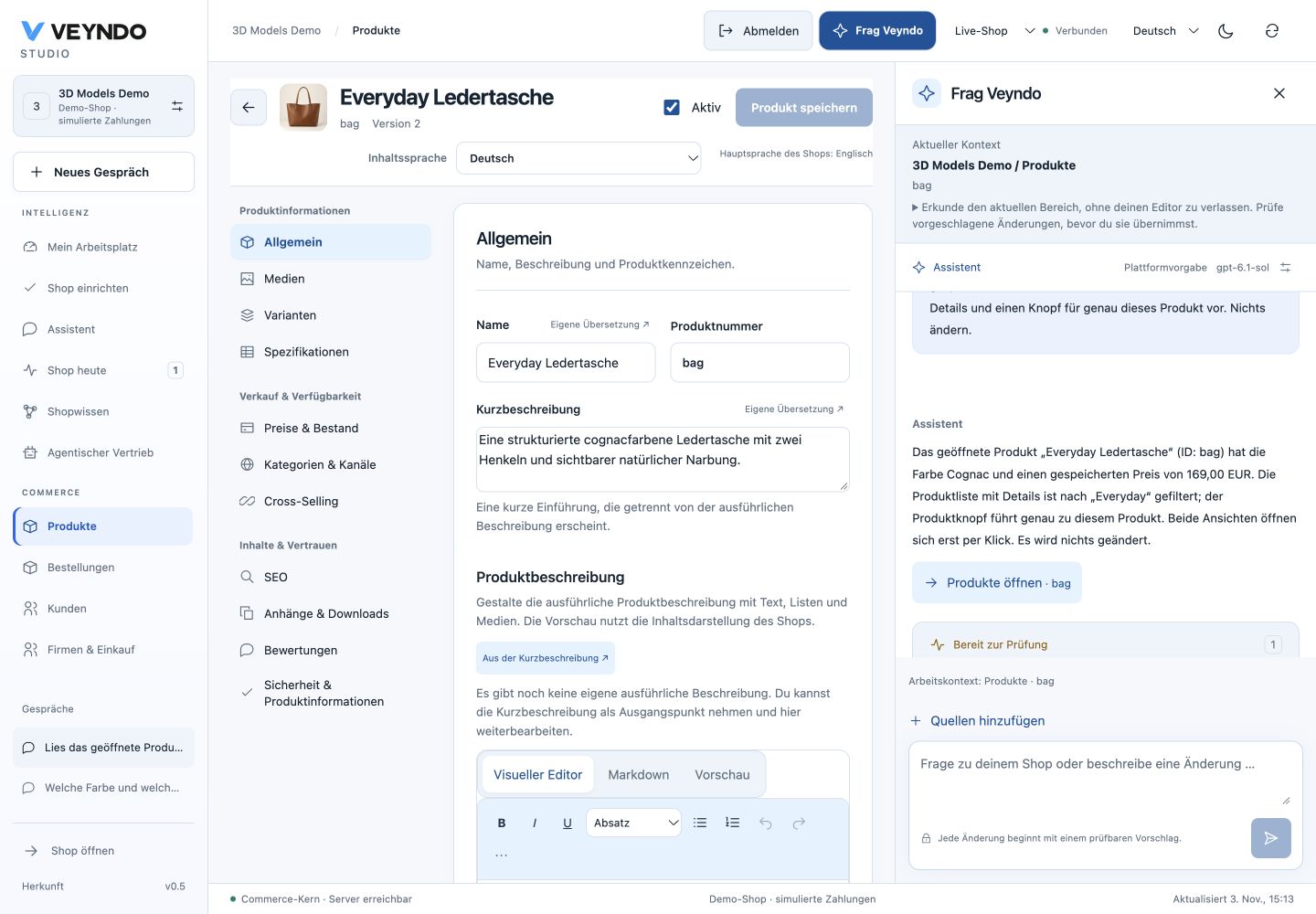
Open a working view
Ask, for example: Show active products with low stock, their details and a CSV import. Review the proposal and choose Open working view. The agent selects registered records, details and product-intake components. Studio loads the real native directory, so search, filters, cursor pages and record editing work there. Open editable list remains available for full-page navigation.
Enable Open details here to use the existing product, order or customer editor within the view. Unsaved editor changes require confirmation before Back, Close or Escape can discard them. For products, Add products opens the same CSV, source URL and described-demo workflow used elsewhere in Studio. Choose a private sandbox, review the preview and create the selected products there; publication stays a separate reviewed action.
Choose Pin this view, then reopen it from My workspace → Pinned views. The saved private preference contains component IDs and general filters only. Customer names, search text, app predicates, records and credentials are excluded. Opening a pin always fetches current data with current shop/sandbox rights. Conflicting saves fail without overwriting another window's layout.
The composition contract accepts only records, details and product-only
intake. It rejects model-provided rows, tenant identity, executable HTML and
unknown components. Native API admission remains authoritative. The model never
sets a confirmed completion label or executes a rendered button itself.
This uses native Studio components presented by the integrated OpenUI renderer.
The model chooses the typed composition; the host compiles only admitted component
IDs into OpenUI. Model text is never treated as executable markup or a data query. Dated local acceptance.
1. Start from the work you are doing
Open a product, order or customer and choose Ask Veyndo / Frag Veyndo. The composer shows the originating view and selected ID. Shop, private environment, language and channel come from the authenticated request. Selection is a hint, not permission to read that object. Changing account or environment fences old responses and retry keys include the selected context.
The conversation offers the existing CSV import, source-shop URL and AI demo catalogue entry points. Add a document / Dokument hinzufügen opens the same private source editor used in Shop knowledge, including its PDF/text upload. Design screenshots and reference URLs use Shape shop → Agent and the existing image/reference intake. Product pictures use the catalogue's media intake; a PDF upload is not silently treated as a design image.
Installed apps are no longer selected only by alphabetical position. The agent
can search all admitted packages with merchant.apps.search, follow its cursor
and read an explicitly discovered model with merchant.apps.read. Search returns
bounded metadata and schemas; data reads retain the app's current domain rights,
MCP opt-out and knowledge declarations. Managed save metadata is reviewable,
never executed by a read tool. App records use the existing shared storage.
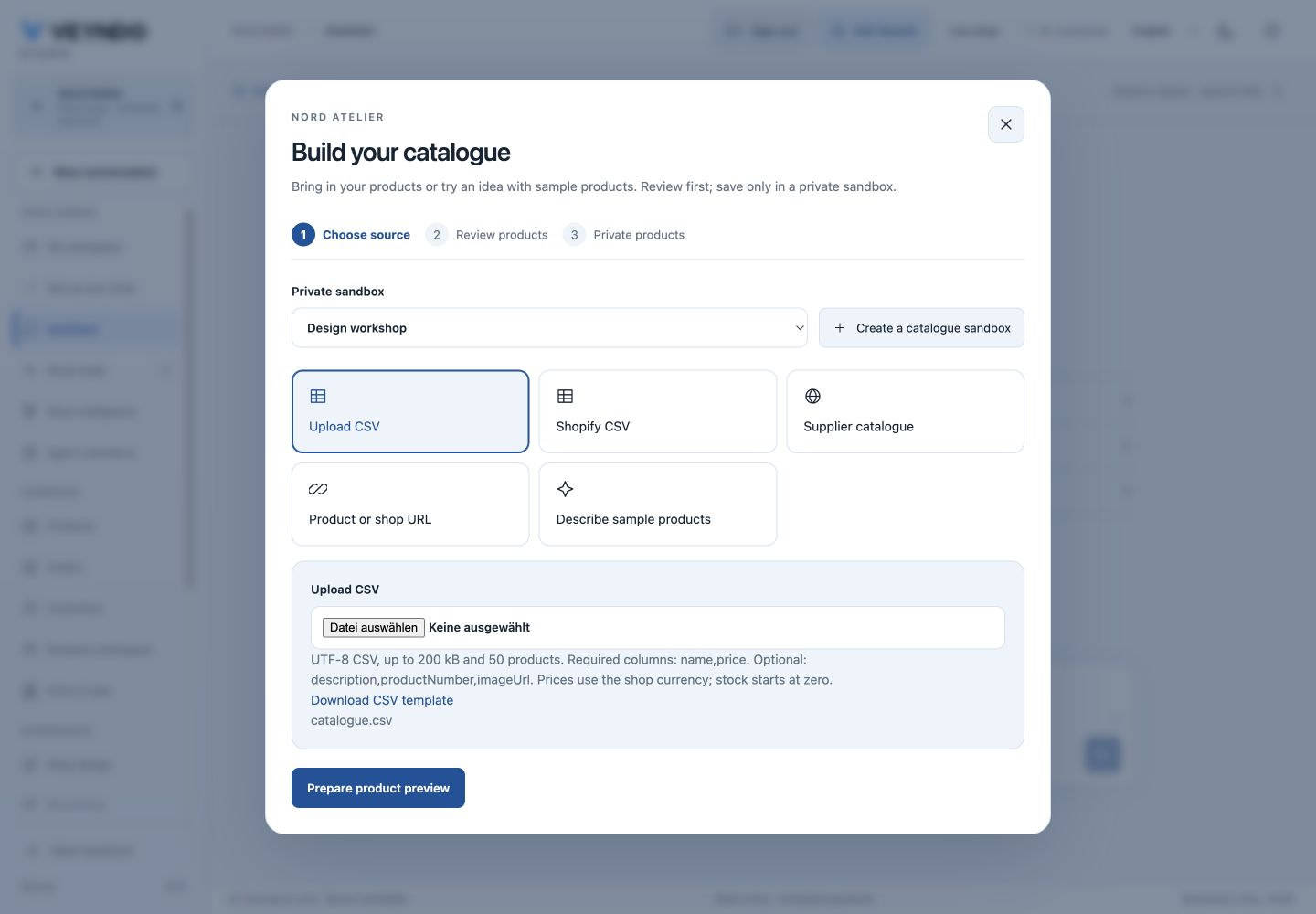
2. Approve a real sequence of work
In a private workspace, ask for a small catalogue, category, Flow or managed app-data change. For example:
Create two categories, Care Instructions and Material Guide, in English and German in this private workspace. Prepare both for review; publish nothing. / Lege zwei Kategorien, Pflegehinweise und Materialwissen, auf Englisch und Deutsch in dieser privaten Umgebung an. Bereite beide zur Freigabe vor; veröffentliche nichts.

The saved proposal lists every operation and its exact arguments. Category plans use the canonical native input contract and current configured language checks before they can be reviewed; an invalid model object does not become approved work. One approval by the original personal actor queues that exact sequence in the existing Rust agent worker. Progress shows completed actions and survives reopening the conversation. Current task identity fences delayed responses from an older run. There is no second queue or model-controlled SQL/shell executor.
Supported configuration operations are product/category creation and revision-bound
editing, automation.save, and admitted managed app saves. Plans have at most
12 steps; creates require stable IDs and edits require native revisions. Work
cannot publish a sandbox, configure live data, call arbitrary services or make a
payment through this path. Existing payment, order, import and release workflows
retain their own explicit native admission. Dedicated budgeted planning keys keep
their read-only scope.
21 October collection extension, publicly accepted: reviewed work can also prepare translation drafts for exact selected product IDs, including products created earlier in the same plan. The existing translation worker retains original task authority and returns a real job link. The parent waits for ready drafts, stops on child failure and resumes only after explicit continuation. Draft review/apply and selected publication remain separate. See the delivery tracker for the actual source and public collection acceptance. Current inline workspace illustrations were refreshed on 2 November. Earlier completed-work and provider-answer examples remain dated links to their 20 October source captures.
flowchart TD
    Context[Editor and current shop] --> Plan[Saved exact proposal]
    Plan --> Review[Personal approval]
    Review --> Worker[Existing Rust task worker]
    Worker --> Rights[Current rights and lease]
    Rights --> Domain[Native domain or managed app save]
    Domain --> Receipt[Durable step result]
    Receipt --> Worker
    Worker --> Done[Completed private work]
    Worker --> Uncertain[Interrupted effect: review continuation]
Managed app writes and their step receipts commit in one PostgreSQL transaction. A killed worker cannot leave an app write without its completion receipt. Native domain commands retain their own transaction and stable-ID/CAS checks; a crash between that commit and its receipt is uncertain and is never blindly retried. Explicit continuation reuses completed receipts. Cancellation and current authority are checked before each next step; a cancelled task cannot start another one. An already admitted native command may finish after cancellation; its matching admission token records the completed step without reviving the task. A late completion after lease expiry likewise records its outcome without renewing the expired lease. Admission and domain calls do not hold nested connections, including when PostgreSQL is reached through a one-backend transaction pool. Partial completed work is visible; execution is not one all-or-nothing transaction.
3. Generate and test a complete native app
In App Studio's assistant choose:
- Improve the current app / Bestehende App verbessern for bounded edits.
- Extend the complete app / Die ganze App erweitern for a coherent proposal adding models, fields, settings, native controls and surfaces together.
A useful instruction is: “Add a private care-note library, a region setting, a list and a form with validated saving. Preserve the existing product editor.” The result is an immutable version, shown as a comparison before adoption. Existing field kinds, core references, data visibility, handlers, settings and accepted workflows remain protected. New setting declarations do not contain credentials. The same canonical Manifest validation gates visual edits and imported Codex/Claude Code results.
Test this version privately / Diese Version privat ausprobieren starts that proposal in the existing actor-private native preview before adoption. Select a surface, save a record, reload it and exercise validation. Installation diagnostics can be returned to the same composer to prepare a repaired proposal. The existing version comparison, staging and selected-publication controls remain separate. An old proposal cannot replace a manually changed draft. If native validation rejects a generated candidate, the server asks the same provider for one bounded repair with that error and the original manifest. The repaired candidate must pass the same checks; a conflict, denied permission or provider failure is not retried. The versioned prompt and rendered context have provenance in inference evidence.
The public acceptance generated a care-note library with its own multilingual
records, a region setting and a private Studio entry. The installed app saved
English and German content on the same record. Selected publication moved only
the package into the synthetic live shop; its private records stayed private.
The central Apps panel then saved region = EU, retained after a full reload.
Installed settings belong to the live app owner and are not copied from sandboxes.
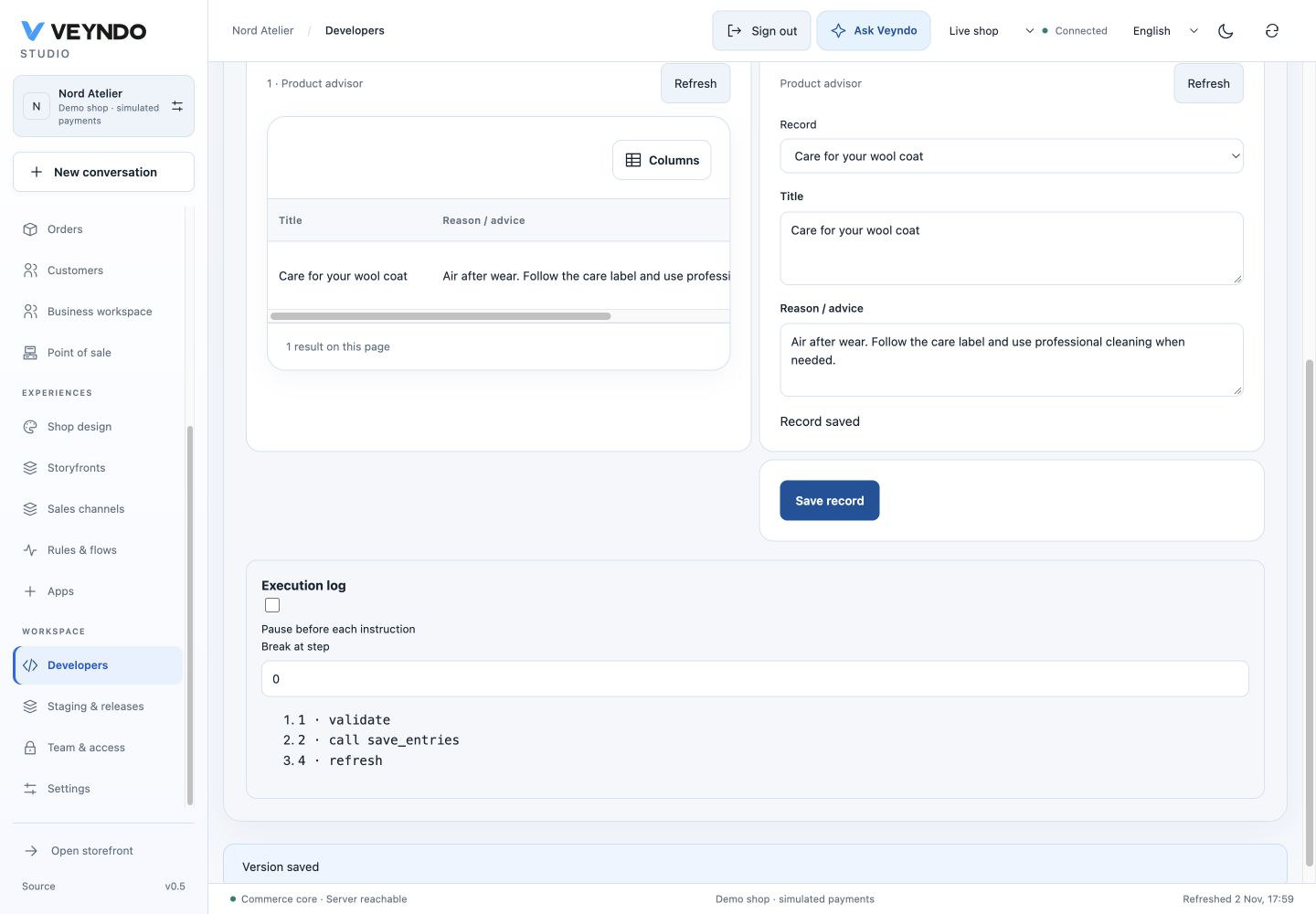
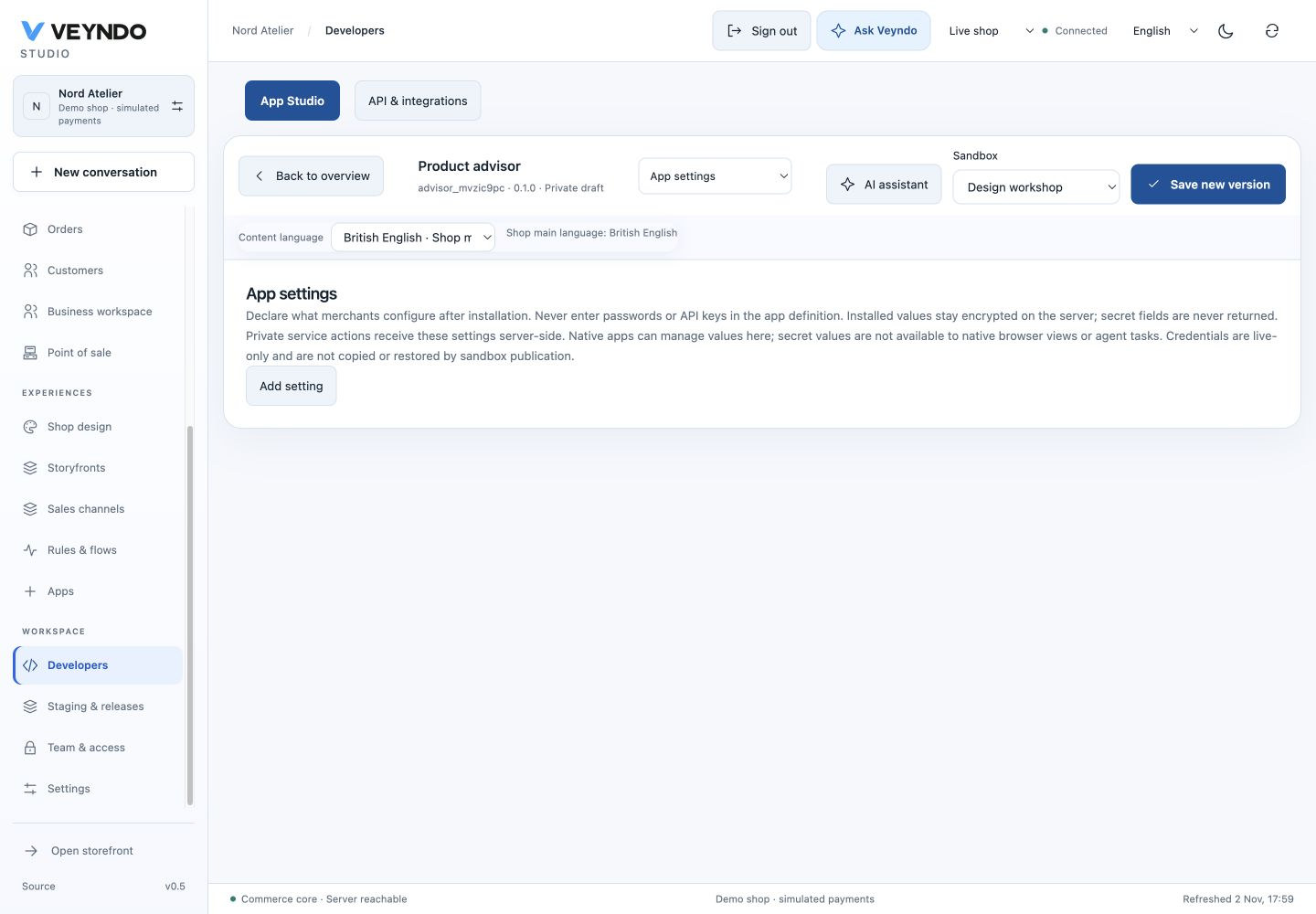
Immediate preview runs declarative native apps. Event-driven services, schedules and payments use reviewed staging and their existing service owners. Export/import for coding agents is a real reviewed artifact workflow; it does not execute arbitrary Rust/TypeScript source or start an external coding agent automatically.
4. Move between language and real editors
“Show open orders for Synthetic Alex” can produce a reviewed native grid view. Open editable list / Bearbeitbare Liste öffnen applies those criteria to the usual server-backed order grid. Filters remain editable by hand. Product and customer views use the same path, with current catalogue/customer/PII rights. The list opens only on a click and performs no commerce mutation.
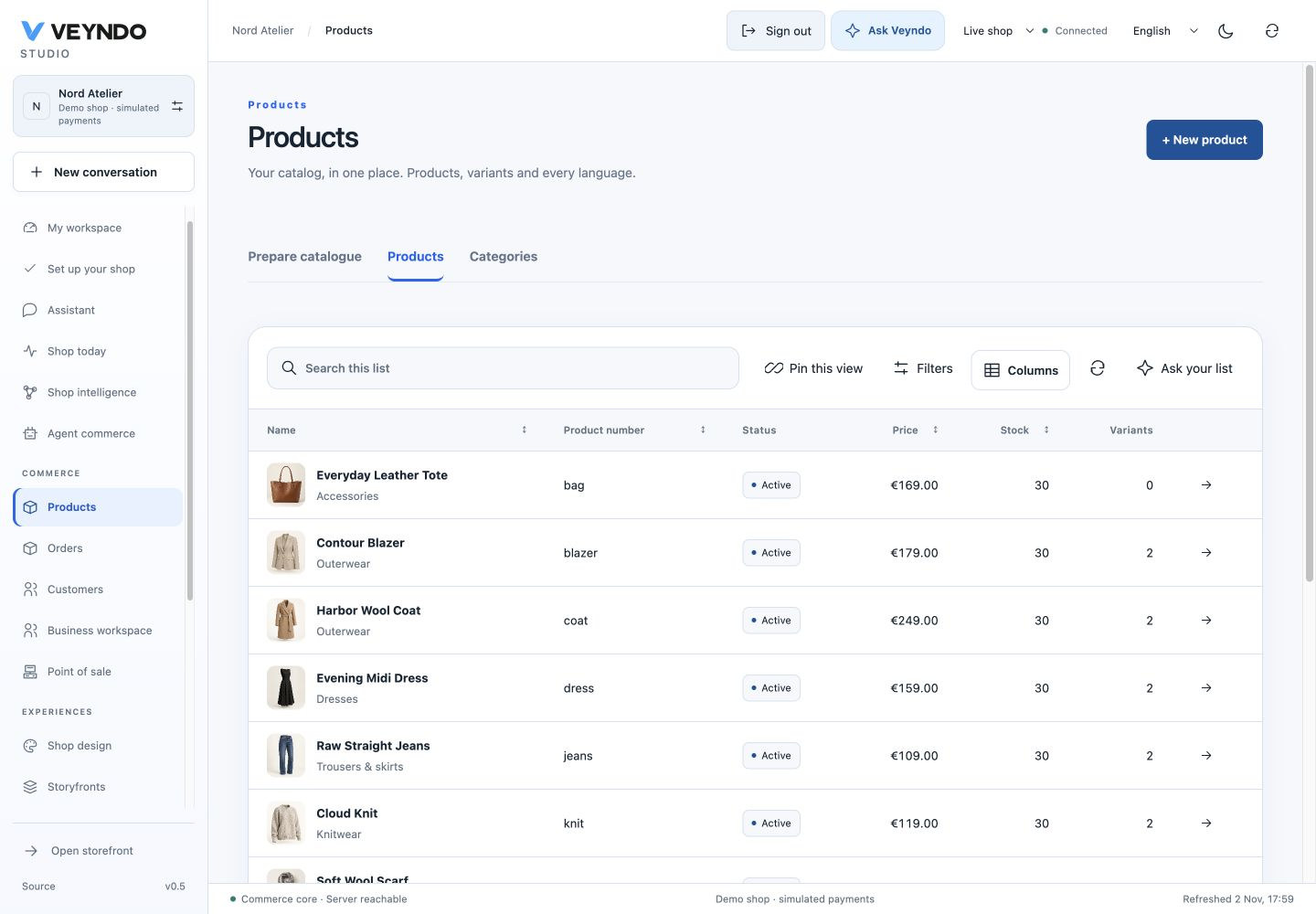
Personal search terms remain in a short-lived in-memory handoff; pinned saved views retain their existing safe-criteria projection. Shop/account transitions clear handoffs. Unknown identity fields and SQL are rejected by the native grid schema, and app filters use their normal per-field admission.
Flow and shop/app design proposals keep using their existing graphical editors, canonical state, undo/history, private review and selected publication. An agent proposal does not replace those editors with a separate generated interface.
5. Work from current facts and remember explicit preferences
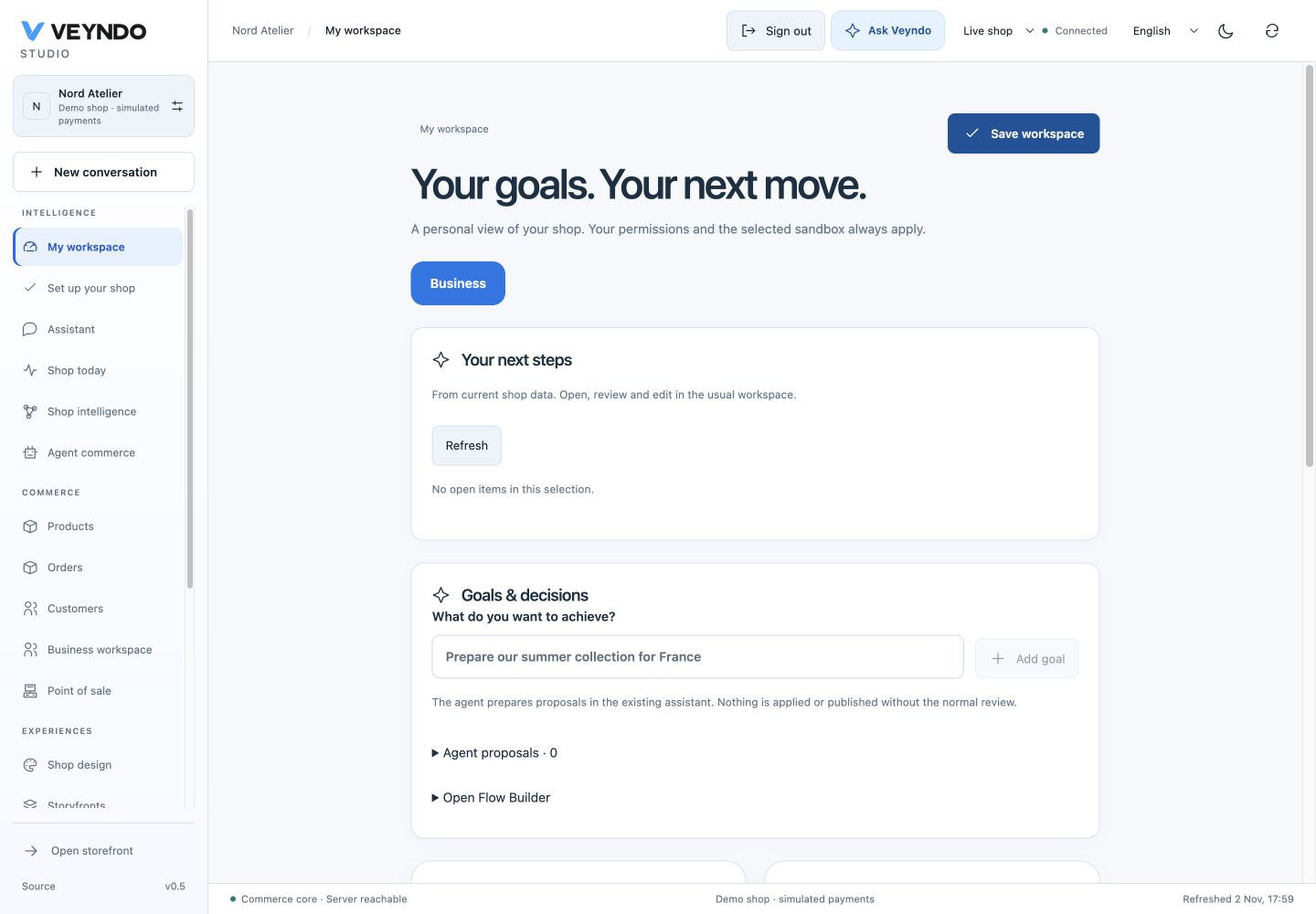
The personal workspace shows a bounded selection of actual work: sold-out products, the actor's failed/uncertain runs, prepared translations and failed jobs of active apps. Each opens its native owner. Resolved stock work disappears on refresh; users without a domain's right receive neither its IDs nor its counts. This is a sample of current work, not a forecast or a complete business-health score.
Choose Remember my instructions / Meine Vorgaben merken to save explicit
shop-wide preferences as a private guidance source. For example:
Use a calm, precise brand voice. Do not assert environmental certifications without evidence. / Verwende einen ruhigen, präzisen Ton. Behaupte keine Umweltzertifizierungen ohne Nachweis.
The next merchant task receives bounded current guidance with source ID, hash and revision, even when the task uses different search words.
Dated example from the earlier interface: The configured public model recalls explicit private guidance and the originating product Source history, editing and archiving use the ordinary knowledge owner. Archive to withdraw a preference; changed/withdrawn sources invalidate an in-flight saved evidence snapshot. Guidance cannot be published to shoppers and never grants permissions or bypasses approval. Only a personal merchant decision can create guidance; external documents are never silently promoted into this category.

Verification and extension
The acceptance record records the native HTTP/PostgreSQL, worker interruption and UI checks alongside dated public browser results. Provider fixtures exercise the real adapters without paid calls; they are not evidence of a live model's reasoning. See saved runs, App Studio, knowledge, grids and visual shop editing for the owning contracts.