
English source · 4 min
Create a channel, connect a marketplace, build an experience
One shop can sell in several ways without copying its catalogue, customers or orders. Sales channels select a native commerce context; independent SaaS shops remain separate tenants.
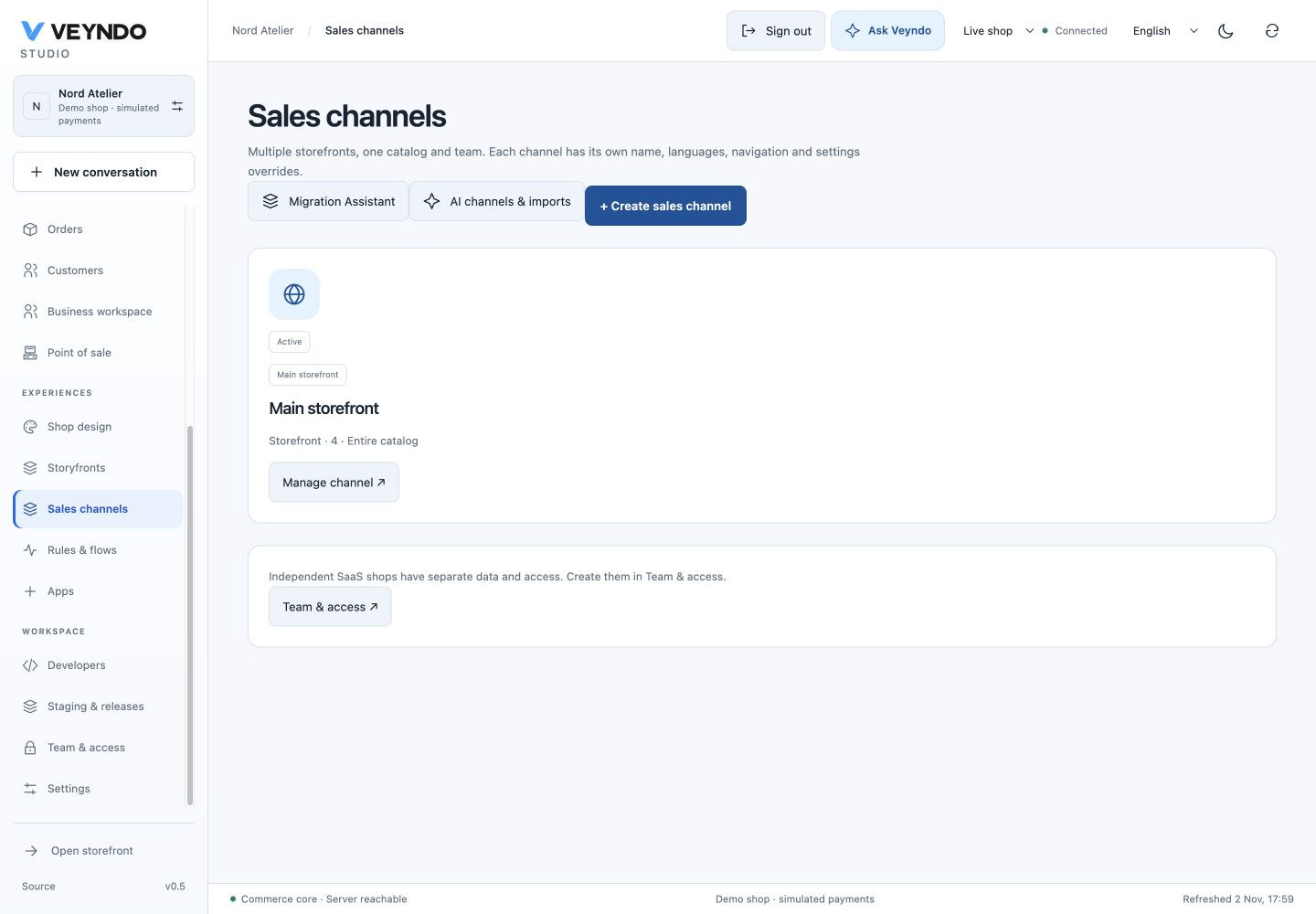
Current interface, 2 November 2026, fictional local shop. Earlier outcome-specific examples below retain their original evidence links.
1. Start with where you want to sell
Open Sales channels → Create sales channel. Choose Storefront, Headless API, Point of sale or Marketplace. The cards explain the purpose and show the current selection. A new draft hides its technical identifier and starts in the shop’s main content language. Missing required fields are marked next to their controls.
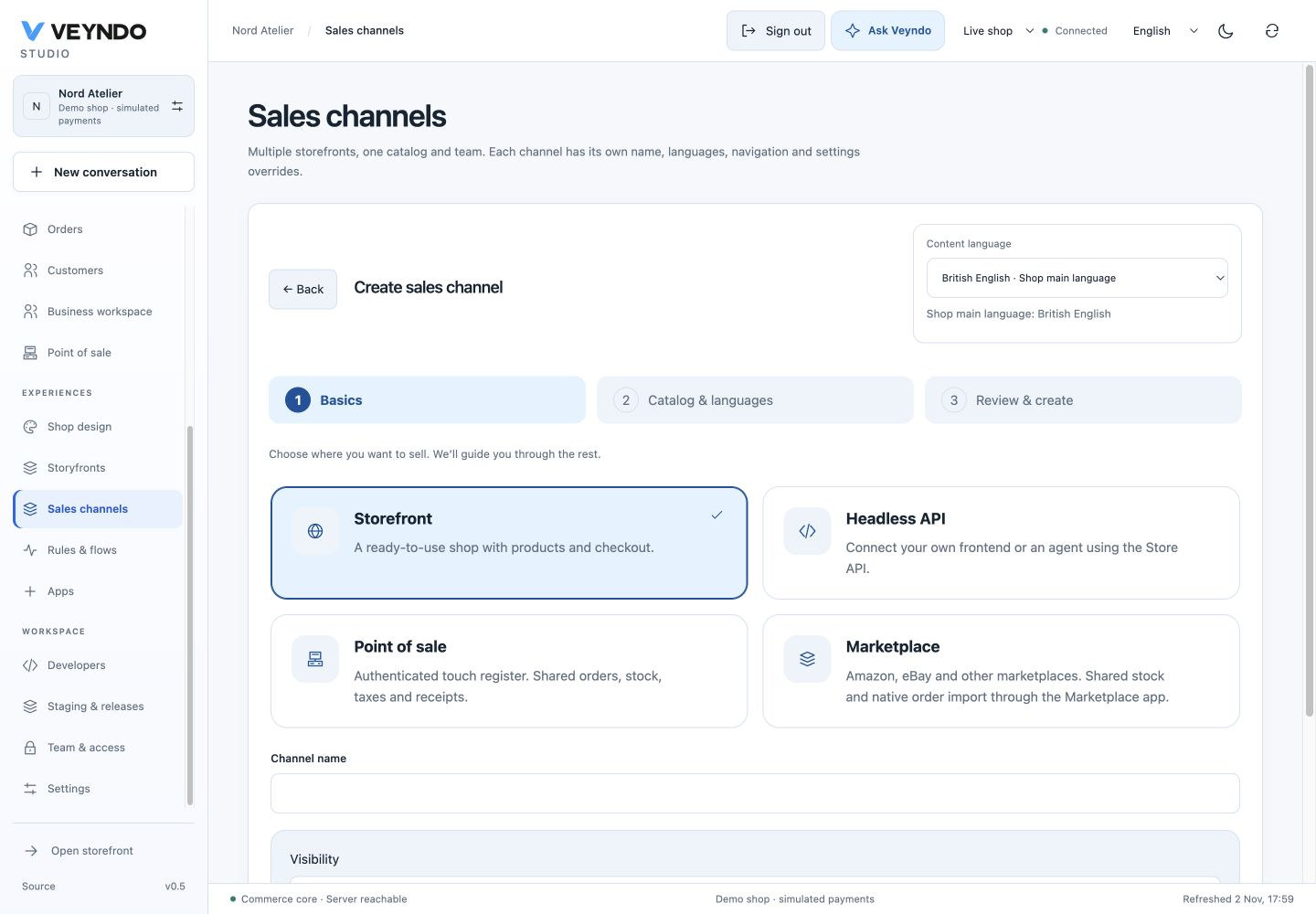
Continue with catalogue/languages, then review. Whole catalogue and the main shop language are selected initially. POS asks for its location; storefront/headless channels expose public/private visibility. Marketplace/POS are authenticated native integration contexts, not public Store API storefronts. Names use the shared one-language editor and main-language inheritance.
After saving, a completion card offers the next step. Manage channel returns to its existing revisioned editor, dependencies, history, inherited settings and pause/delete actions. Creating a channel does not connect an external provider or publish a Storyfront.
2. Enter Marketplace Studio in context
Open Marketplace Studio keeps the current Studio and channel. If the app is missing, review its exact package and permission changes in the existing consent dialog. If paused, activate it with app management permission. The app-owned Marketplace panel then opens directly; Connect marketplace preselects the channel you just created. Existing app deep links also open the selected app.
The independent Rust marketplace service still owns seller authentication, projection, sync and inbox. Seller credentials are server-side aliases; enabling an app is not a live Amazon/eBay/Kaufland account connection. Mapping previews, explicit synchronization, reviewed paid order intake, invoices and Flow events remain the existing marketplace workflow.
3. Connect Storyfront to the shop you already have
Open Storyfronts, choose an active public storefront channel and select Create an experience. Hosted Veyndo opens its existing Experience service with public shop/channel identifiers. No bearer token or customer information is put in this URL. If there is no Experience session, use your existing merchant login or the configured verified email/OAuth path. You can sign out to switch accounts.

Confirm the experience name, select an enabled content language and describe the look and feel. The service checks current Core membership, app/channel management, settings read/write and catalogue read rights. Invalid/foreign/paused/private/POS or marketplace channels are refused before a job is created. It never trusts the URL as authority.
Dated example from the earlier interface: Creative brief reuses the selected channel’s catalogue

The existing durable creation job reuses the current tenant/channel and imports that catalogue into the original private Storyfront. It does not create another commerce shop or duplicate products. Retries reuse saved progress; a changed channel revision requires review. Only enabled channel languages are imported. Continue in the original Studio to edit, generate, preview and go live. Drafting is not publication; native checkout, stock, prices and orders remain in Veyndo.
flowchart LR
    Admin[Storyfronts: select channel] --> Entry[Existing Experience sign-in]
    Entry --> Rights[Current Core rights and channel]
    Rights --> Job[Existing durable creation queue]
    Job --> Native[Original Storyfront import and editor]
    Native --> Publish[Original Go live and current admission]
    Publish --> Domain[Existing hosted frontend binding]
    Domain --> Checkout[Same Veyndo catalogue and checkout]
Rights are checked again at original Studio requests and after asynchronous live confirmation before selecting its renderer or queuing welcome mail. Revoked access cannot fall back to an owner broker exchange. Connected shops cannot use the old separate React design mutation endpoints.
Hosting and verification boundaries
Hosted *.veyndo.ai uses https://experience.veyndo.ai/connect. Self-hosters can
supply the public build setting VITE_EXPERIENCE_ORIGIN with a plain HTTPS origin
(loopback HTTP is allowed for local development). Server keys, seller credentials
and Storyfront implementation stay private. The normal storefront/POS/marketplace
channel creation flow does not silently install Storyfront.
Screenshots above show a disposable local shop. Browser checks cover native channel
creation, inline errors, in-place Marketplace installation/entry, channel
preselection, Storyfront entry, existing merchant login and actual queued creation.
The isolated private regression uses the original manifest adapter with local
protocol fixtures to reach studio, rejects changed jobs/current rights/revisions
and tests revocation during native live confirmation. It performs no paid model,
real seller, email or purchase call. Original hosted generation/publication and
seller acceptance require their configured live services; these screenshots alone
do not prove those external effects. See channel security
and the original Storyfront integration.